
Storing security footage is as important as capturing it. When deciding between Network Video Recorders and cloud storage solutions, understanding the trade-offs helps you choose the right approach for your specific needs and budget.
Understanding NVR Storage
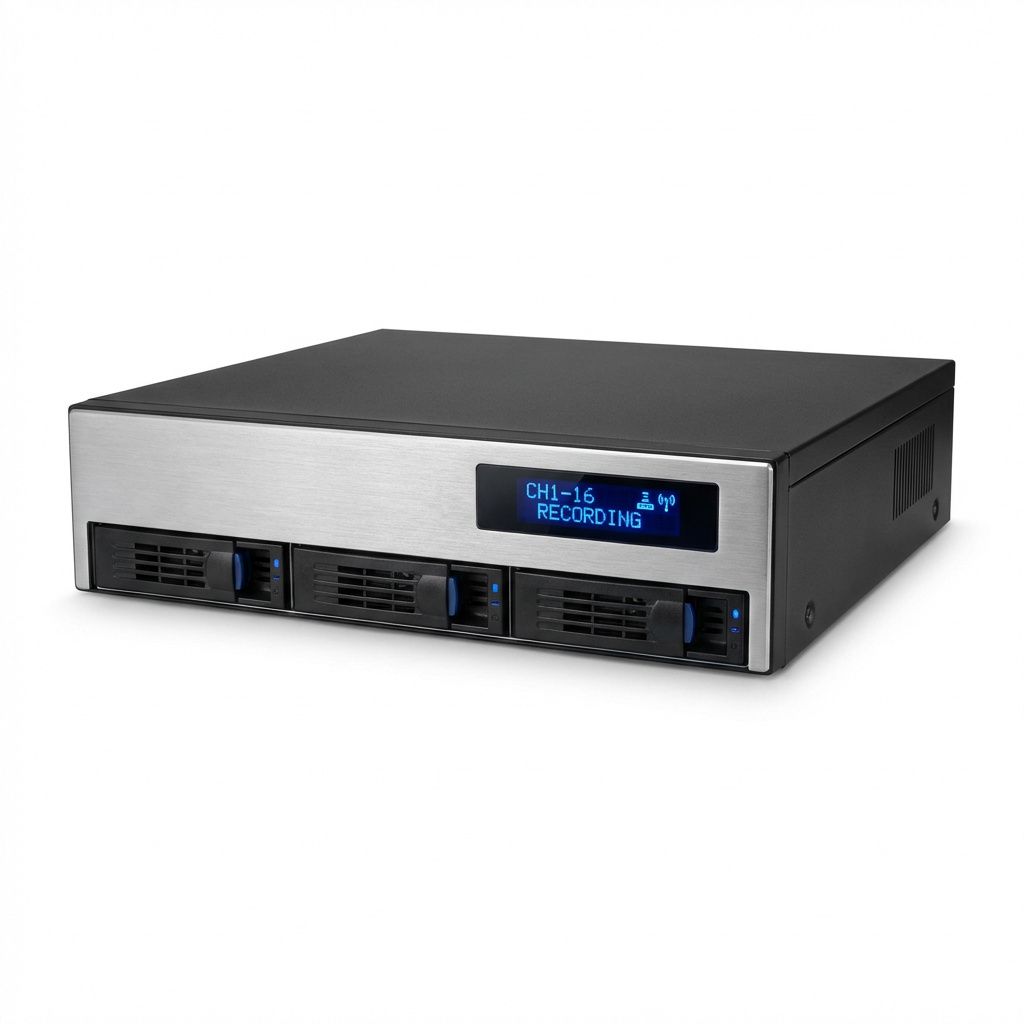
Network Video Recorders are dedicated devices that store footage locally on hard drives. They connect directly to your network and receive video streams from your cameras. The footage remains on-site, giving you complete control over your data and eliminating subscription fees.
NVR systems offer several advantages for security-conscious users. Local storage means your footage stays within your physical control, protected from internet outages or cloud service disruptions. One-time hardware costs replace ongoing subscription fees, making NVR more economical over the long term for most installations.
Storage capacity depends on the number of hard drives and their sizes. Entry-level NVRs might hold one or two drives, while professional units accommodate eight or more drives for massive storage capacity. You can expand storage by replacing drives with larger ones as prices drop.
However, NVRs have limitations. Physical devices can be stolen or damaged during a break-in, potentially losing all recorded footage. They require technical knowledge to set up and maintain. Remote access requires proper network configuration and exposes your system to potential security risks.
Understanding Cloud Storage
Cloud storage services upload your camera footage to remote servers maintained by service providers. This approach eliminates local hardware and enables easy access from anywhere with internet connectivity. Your footage remains safe even if cameras are stolen or damaged.
The convenience of cloud storage appeals to many users. Setup typically involves simple account creation rather than network configuration. Mobile apps provide instant access to live and recorded footage without complex router configuration. Automatic software updates ensure you always have the latest features and security patches.
Cloud services excel at redundancy and disaster recovery. Professional data centers protect against hardware failures, fires, and natural disasters that might destroy local recordings. Multiple geographic backups ensure your footage survives even catastrophic events.
The subscription model represents the primary drawback of cloud storage. Monthly fees accumulate over time, often exceeding the cost of an NVR within a few years. Internet bandwidth requirements limit video quality or frame rates, and slow connections can cause gaps in recording.
Cost Comparison
Calculating the true cost of each storage method requires looking beyond initial expenses. A typical four-camera NVR system might cost $300 to $500 for the recorder and hard drives. With no ongoing fees, your five-year cost remains that initial investment, though you might upgrade drives for additional capacity.
Cloud storage for four cameras typically ranges from $10 to $30 monthly depending on retention periods and video quality. Over five years, this accumulates to $600 to $1800, significantly more than local storage. However, cloud services include support, maintenance, and infrastructure that NVR owners must handle themselves.
Consider also the cost of your time. NVRs require occasional maintenance, troubleshooting, and technical configuration. Cloud services handle these tasks automatically, valuable for users who prefer convenience over control.
Security and Privacy Considerations
Local NVR storage keeps your footage physically within your control. No third party has access to your data, and internet outages do not affect recording capabilities. However, you are responsible for securing the device against network intrusions and ensuring proper access controls.
Cloud storage transfers responsibility for physical security to the service provider. Reputable providers encrypt data during transmission and storage, protecting against interception. However, you must trust the provider's security practices and accept that your footage resides on servers outside your direct control.
Consider your threat model when choosing storage. Businesses protecting valuable inventory might prefer local storage for maximum control. Homeowners wanting simple monitoring might prioritize the convenience and redundancy of cloud solutions.

Reliability and Accessibility
NVR reliability depends on your local infrastructure. Power outages stop recording unless you have battery backup systems. Internet outages prevent remote access but do not affect local recording. Hard drive failures can lose footage unless you implement RAID redundancy.
Cloud storage depends on internet connectivity for all functions. Camera uploads require consistent bandwidth, and viewing recorded footage requires reliable downstream capacity. However, the service provider handles hardware maintenance, backups, and uptime monitoring.
Accessibility differs significantly between approaches. NVR remote access requires technical configuration and exposes your home network to potential attacks. Cloud services provide secure, authenticated access through mobile apps with minimal setup but depend on internet connectivity.
Making Your Decision
Choose NVR storage if you want complete control over your data, prefer one-time costs over subscriptions, have technical skills for setup and maintenance, and need high-resolution recording without bandwidth constraints.
Choose cloud storage if you prioritize convenience and easy setup, want automatic off-site backup, need simple mobile access without network configuration, and prefer predictable monthly costs over large upfront investments.
Hybrid solutions combine both approaches. Some NVRs offer optional cloud backup for critical footage, providing local storage benefits with off-site protection. This approach costs more but delivers the advantages of both methods.
Conclusion
Both NVR and cloud storage offer valid approaches to security footage preservation.\n\nWhichever storage solution you choose, calculating your capacity needs is essential. Read our guide on calculating hard drive storage for security cameras to ensure you have adequate space for your retention requirements. Your choice depends on technical comfort level, budget preferences, and specific security requirements. Local storage provides control and long-term economy, while cloud services offer convenience and professional management.
Whichever storage solution you choose, calculating your capacity needs is essential. Read our guide on calculating hard drive storage for security cameras to ensure you have adequate space for your retention requirements.